Documentation Index

Fetch the complete documentation index at: https://docs.trysiren.io/llms.txt

Use this file to discover all available pages before exploring further.

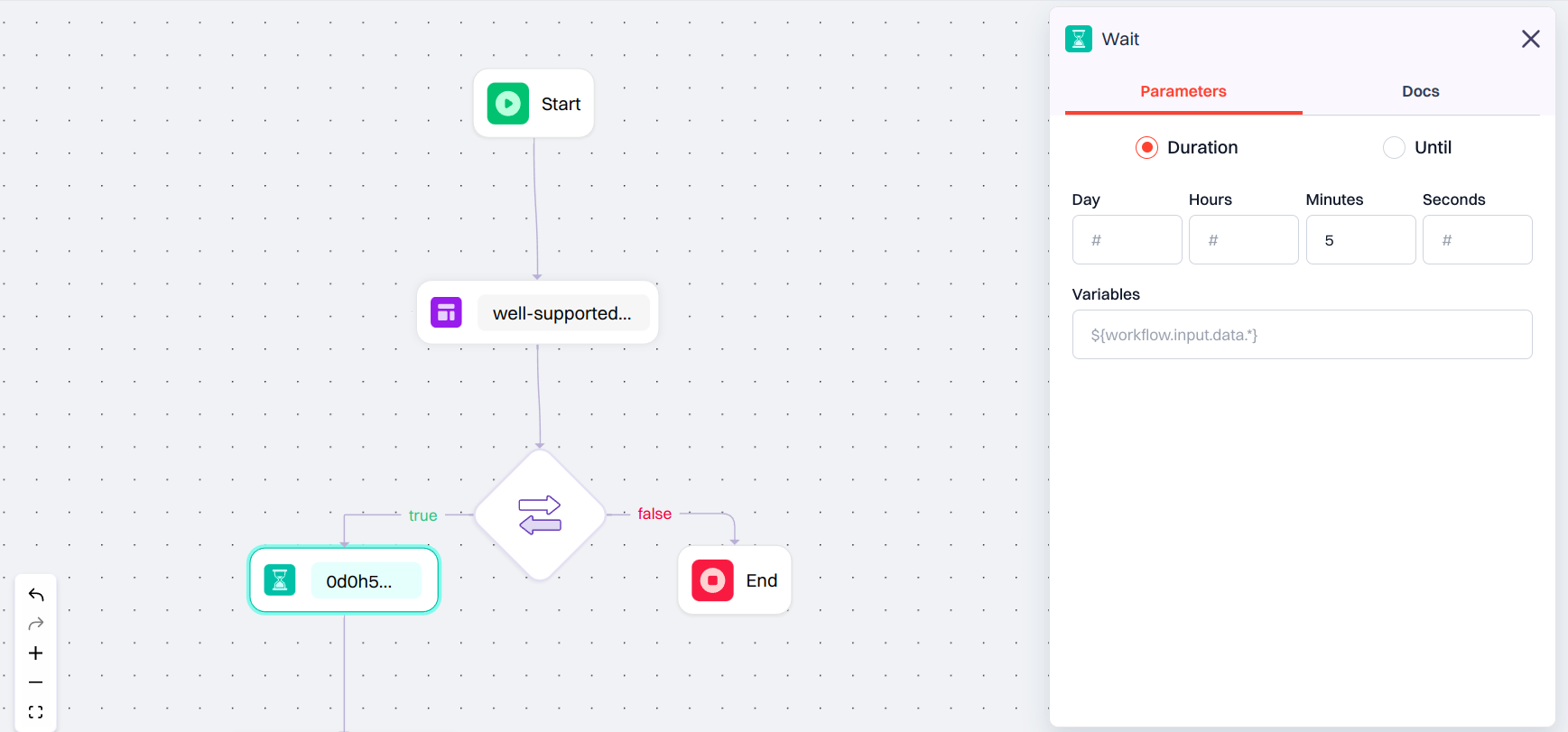
The Wait Node lets you pause the workflow before proceeding to the next step. This is useful when you want to introduce a delay or wait until a specific date and time before sending a message or continuing the flow. When you click on the Wait Node, a configuration panel appears with a Parameters tab. Here, you can choose how the wait should be defined: Wait Node

Configuration Options

  • Duration: Set a fixed delay using:
    • Days
    • Hours
    • Minutes
    • Seconds
    This option is ideal for introducing consistent gaps between workflow steps.
  • Until: Define a specific date and time when the workflow should resume.
    • Select a Time Zone to align the timing with the recipient’s or system’s locale.

Advanced Workflow Configuration

In Advanced workflows, an extra field appears below the static options:
  • Wait Variable: A field to enter a dynamic wait value using a JSON path.
    • Example: ${workflow.input.data.time}
This allows the wait duration to be determined at runtime, based on input data.
If you use a Wait Variable, it will override whatever you set in Duration or Until. Just make sure the variable returns a valid time value like a number in seconds or a proper date/time. so the workflow knows how long to wait.