

This node is only available in Advanced Workflow
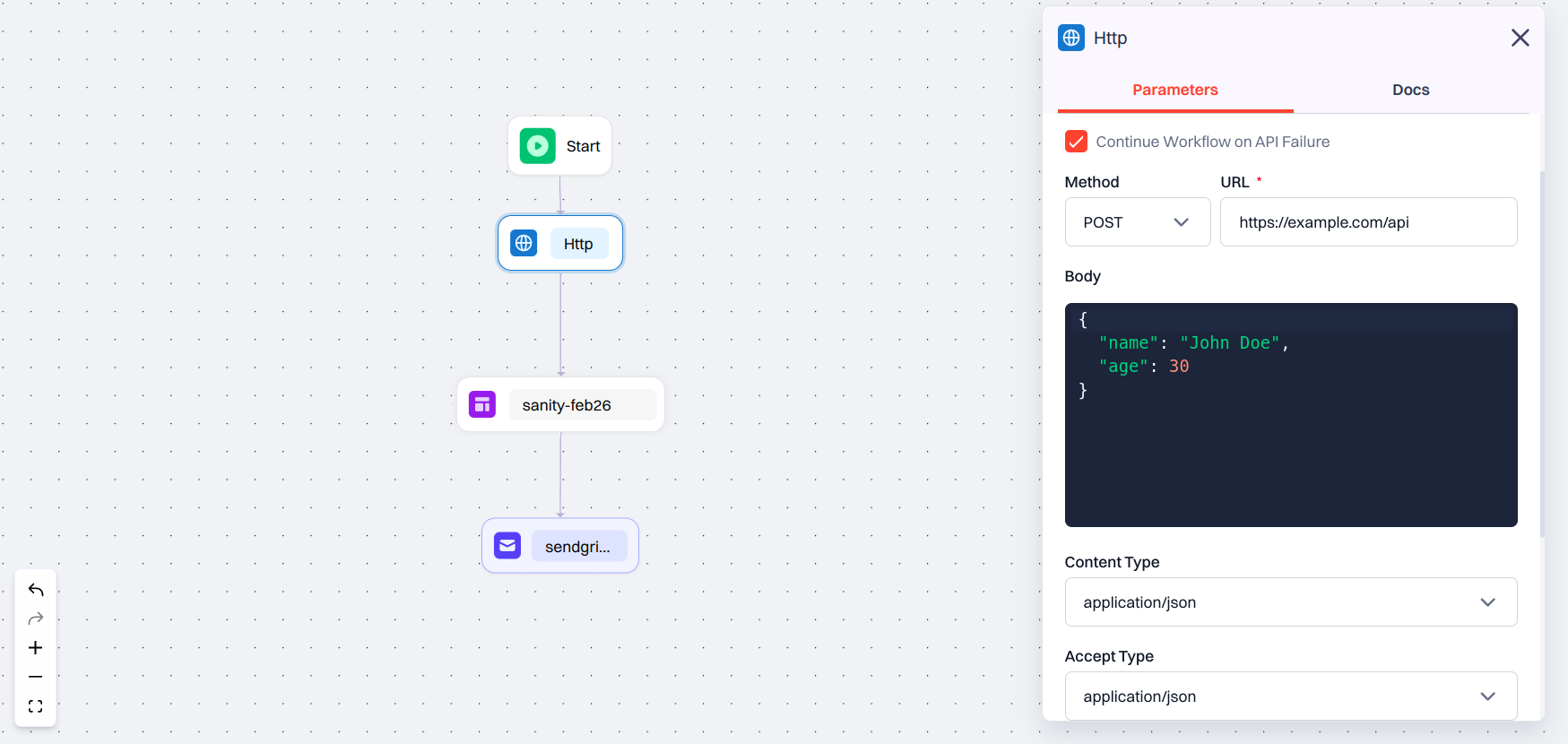
Configuration Options
When you add an HTTP Node, you will see the following fields:- Reference Name: A label used to reference this API’s response in later parts of the workflow.
- Continue Workflow on API Failure: If checked, the workflow continues even if the API call fails. Useful for optional or non-blocking requests.
- Method: Choose the type of HTTP request from the following options:
GET,POST,PUT,PATCH,DELETE,OPTIONS,HEAD. - URL: Enter the API endpoint link you want to call.
- Body: Required for methods like
POST,PUT, orPATCH. You can insert variables using JSON path. - Content Type: Specifies the format of the request body:
application/json,text/plain,text/html. - Accept Type: Defines what response format you expect:
application/json,text/plain,text/html. - Timeouts
- Connection Timeout – Time (in milliseconds) to wait for a connection to establish.
- Read Timeout – Time (in milliseconds) to wait for the response after the connection is open.
- Headers: Add custom headers to the request using key-value pairs.
Example
Let’s say you want to check if a user passed a fraud check before sending them a transaction alert. Here’s how you might configure the HTTP Node:
- Reference Name: Reference name that is generated
- Method:
POST- URL:
https://api.example.com/verify- Body: