> ## Documentation Index
> Fetch the complete documentation index at: https://docs.trysiren.io/llms.txt
> Use this file to discover all available pages before exploring further.
# WhatsApp Template
The WhatsApp template editor in Siren allows you to create and manage message templates that comply with WhatsApp's Business API guidelines. You can customize message content with variables for personalized communication.
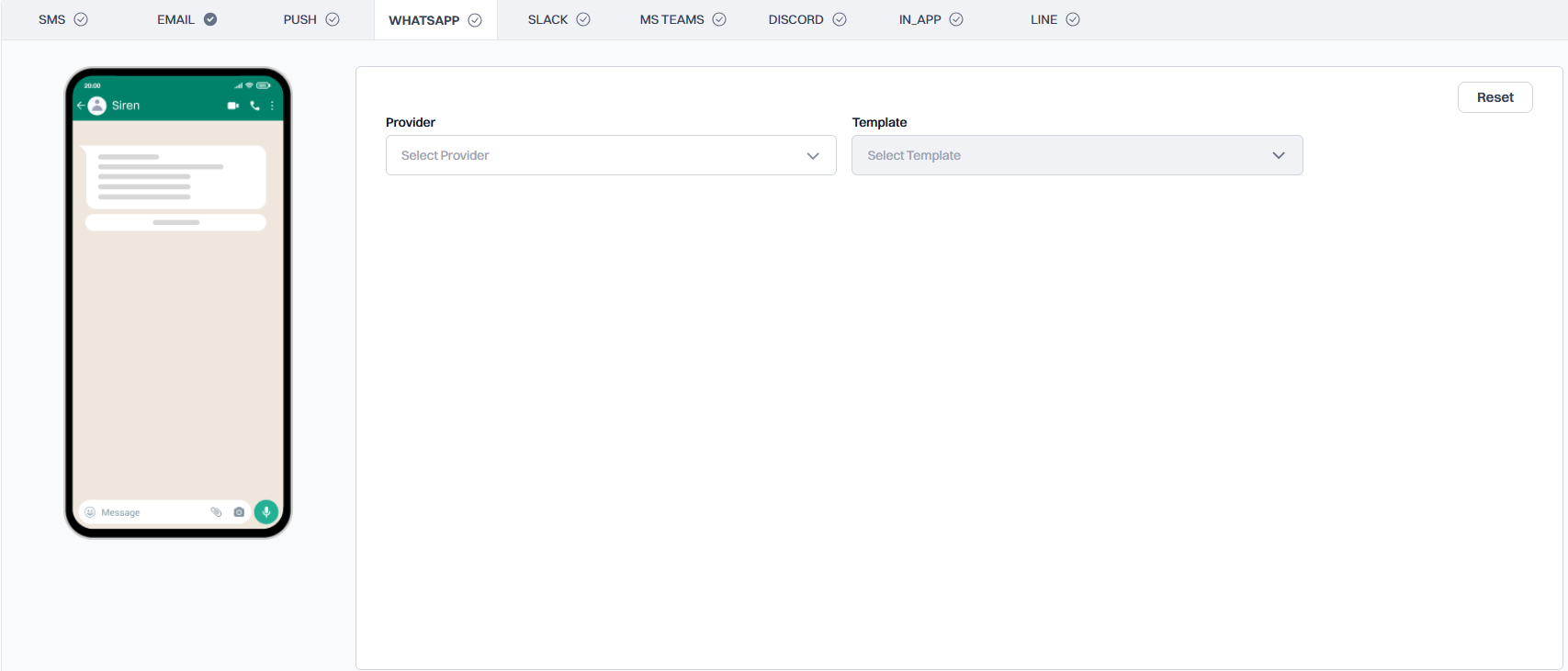 ## Template Selection
Choose your WhatsApp Business Solution Provider from the dropdown menu. This determines which templates are available for use.
Choose from pre-approved templates that comply with WhatsApp's DLT (Distributed Ledger Technology) guidelines. These templates ensure compliance with WhatsApp's messaging policies.
## Template Configuration
Once a template is selected, you can configure the following sections:
Add an image variable for the header.
Add body variables as needed for the message content.
Add button variables for interactive elements.
## Variable Management
Add dynamic content to your template:
1. **Header Variables**:
* Image URLs for dynamic header images
* Text variables for short header text
2. **Body Variables**:
* Text variables for personalized content
* Format: `${workflow.input.data.variable_name}`
* Example: `Hello ${workflow.input.data.customer_name}, your order ${workflow.input.data.order_id} is ready!`
3. **Button Variables**:
* Dynamic text in buttons
* URL parameters for dynamic links
## Best Practices
* Keep messages concise and clear
* Test templates with different variable lengths
* Ensure all required variables are included
* Follow WhatsApp's template approval guidelines
* Preview your template before saving
* Consider timezone differences for time-sensitive messages
## Template Selection
Choose your WhatsApp Business Solution Provider from the dropdown menu. This determines which templates are available for use.
Choose from pre-approved templates that comply with WhatsApp's DLT (Distributed Ledger Technology) guidelines. These templates ensure compliance with WhatsApp's messaging policies.
## Template Configuration
Once a template is selected, you can configure the following sections:
Add an image variable for the header.
Add body variables as needed for the message content.
Add button variables for interactive elements.
## Variable Management
Add dynamic content to your template:
1. **Header Variables**:
* Image URLs for dynamic header images
* Text variables for short header text
2. **Body Variables**:
* Text variables for personalized content
* Format: `${workflow.input.data.variable_name}`
* Example: `Hello ${workflow.input.data.customer_name}, your order ${workflow.input.data.order_id} is ready!`
3. **Button Variables**:
* Dynamic text in buttons
* URL parameters for dynamic links
## Best Practices
* Keep messages concise and clear
* Test templates with different variable lengths
* Ensure all required variables are included
* Follow WhatsApp's template approval guidelines
* Preview your template before saving
* Consider timezone differences for time-sensitive messages