> ## Documentation Index
> Fetch the complete documentation index at: https://docs.trysiren.io/llms.txt
> Use this file to discover all available pages before exploring further.
# Microsoft Teams
***Prerequisite:***
Ensure you have a Microsoft 365 account with access to Teams.
 ## Integration Setup
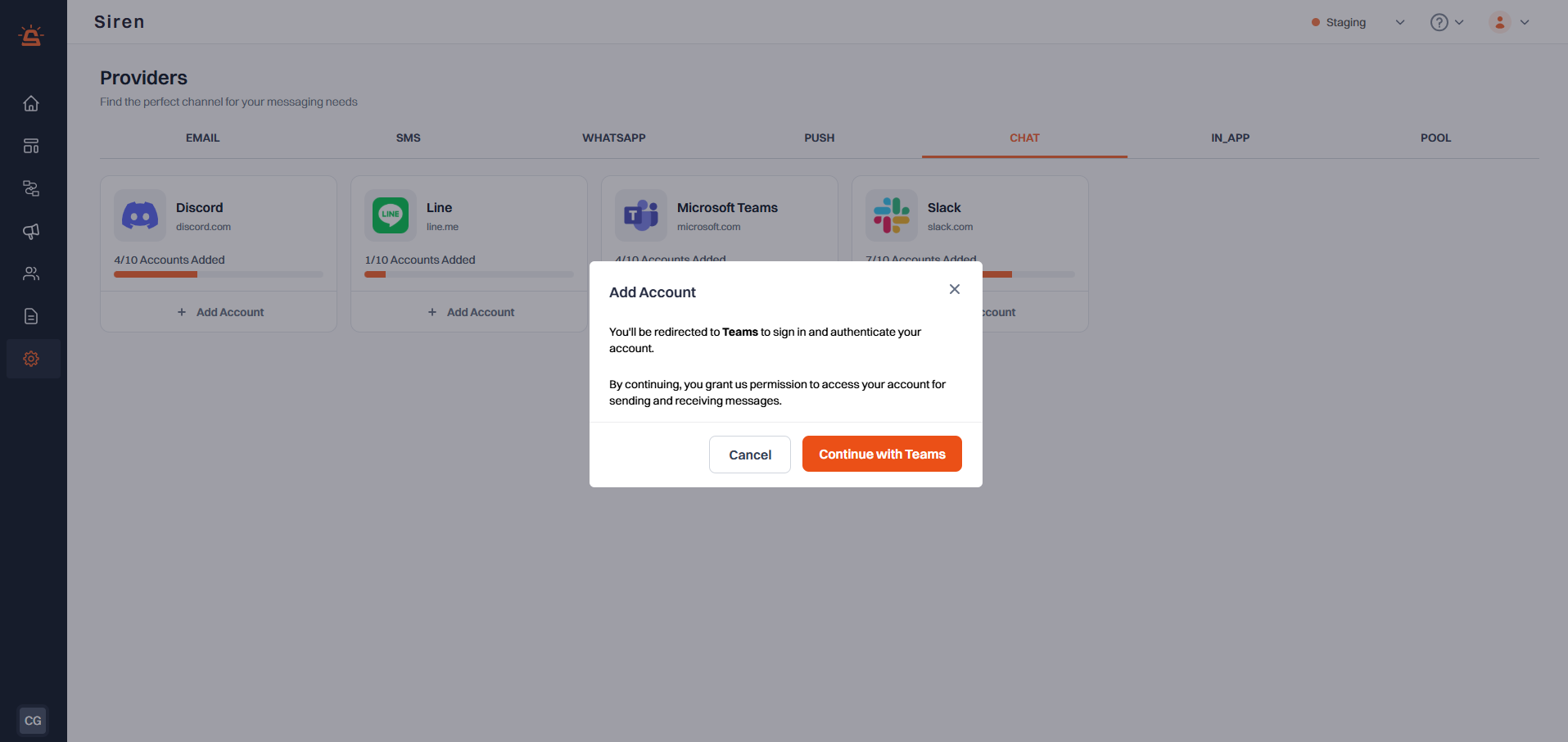
To integrate your Microsoft Teams account with Siren using Microsoft's OAuth authentication, follow these steps:
Go to the **Providers** section in your Siren dashboard.
Choose the **Chat** channel from the list of available options.
Locate **Microsoft Teams** in the list of providers and click on **Add Account**.
In the modal that appears, click on the **Continue with Microsoft** button.
You will be redirected to Microsoft's sign-in page.
* Click on the Microsoft account you want to connect to Siren
* Review the permissions that Siren is requesting
* Click **Accept** to grant Siren access to your Teams account
After successful authentication, you will be automatically redirected back to Siren.
Your Microsoft Teams integration will be connected and ready to use with Siren's chat features.
* The integration uses OAuth for secure authentication, so you do not need to create or manage webhooks manually.
* You can revoke Siren's access at any time through your Microsoft Account settings under "Security" > "App permissions".
* You can connect multiple Teams channels by repeating the process.
## Integration Setup
To integrate your Microsoft Teams account with Siren using Microsoft's OAuth authentication, follow these steps:
Go to the **Providers** section in your Siren dashboard.
Choose the **Chat** channel from the list of available options.
Locate **Microsoft Teams** in the list of providers and click on **Add Account**.
In the modal that appears, click on the **Continue with Microsoft** button.
You will be redirected to Microsoft's sign-in page.
* Click on the Microsoft account you want to connect to Siren
* Review the permissions that Siren is requesting
* Click **Accept** to grant Siren access to your Teams account
After successful authentication, you will be automatically redirected back to Siren.
Your Microsoft Teams integration will be connected and ready to use with Siren's chat features.
* The integration uses OAuth for secure authentication, so you do not need to create or manage webhooks manually.
* You can revoke Siren's access at any time through your Microsoft Account settings under "Security" > "App permissions".
* You can connect multiple Teams channels by repeating the process.