> ## Documentation Index
> Fetch the complete documentation index at: https://docs.trysiren.io/llms.txt
> Use this file to discover all available pages before exploring further.
# Discord
> Step-by-step guide to integrate Discord with Siren for sending messages to Discord channels and users
***Prerequisites:***
* A Discord account with server management permissions
* Permission to create applications in the Discord Developer Portal
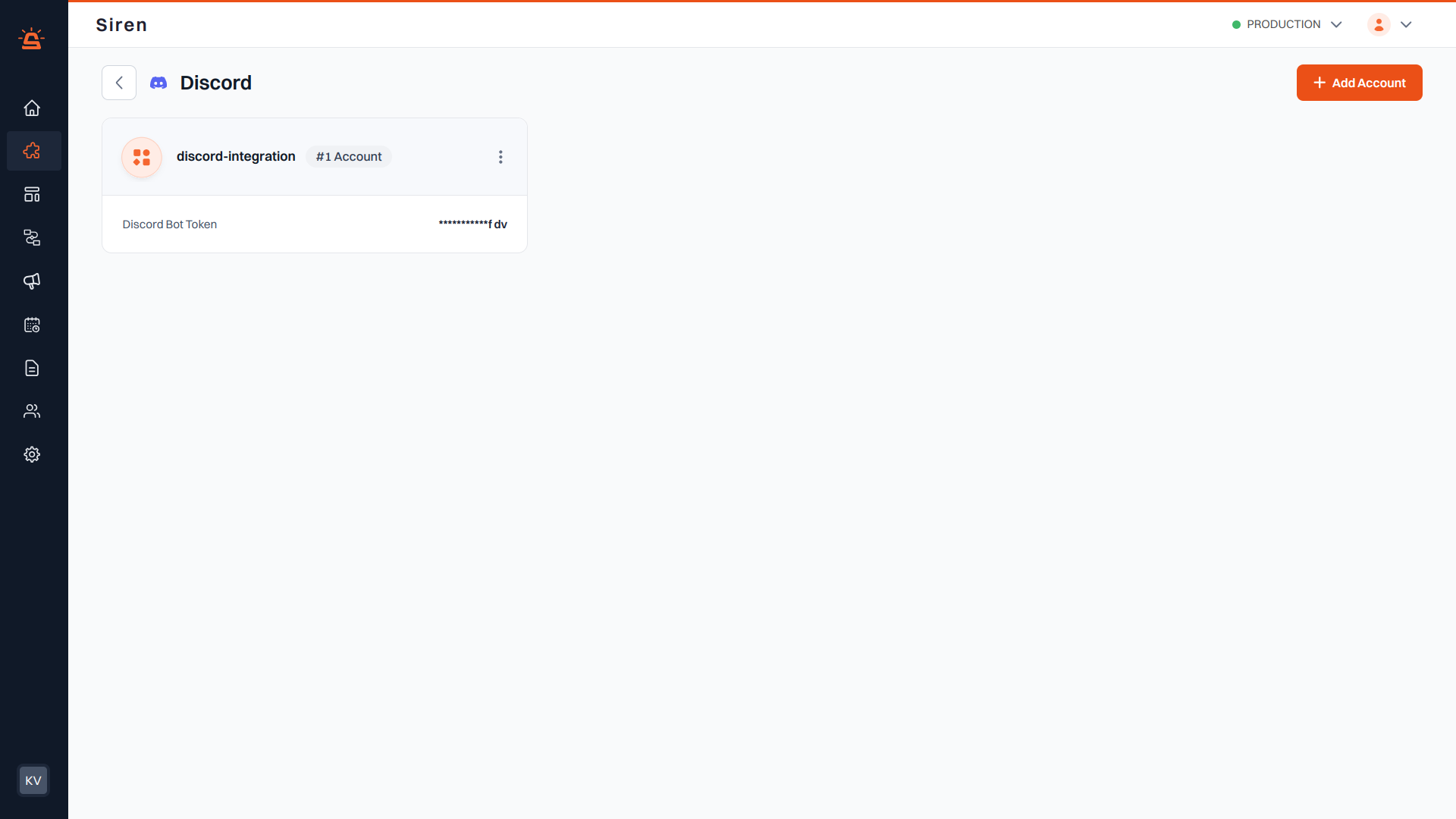 ## Integration Setup
To integrate Discord with Siren, follow these steps:
Go to the **Providers** section in your Siren dashboard.
Choose the **Chat Platforms** channel from the available options.
Locate **Discord** in the list of providers and click on **Add Account**.
Before filling in the account details, you will need to get your bot token from Discord Developer Portal:
1. Go to the [Discord Developer Portal](https://discord.com/developers/applications)
2. Select your application or create a new one
3. In the left navigation panel, click on **Bot**
4. Under the **Bot** section:
* For a new bot: Click **Reset Token** and confirm with your password
* For an existing bot: Click **Copy** to copy the token
## Integration Setup
To integrate Discord with Siren, follow these steps:
Go to the **Providers** section in your Siren dashboard.
Choose the **Chat Platforms** channel from the available options.
Locate **Discord** in the list of providers and click on **Add Account**.
Before filling in the account details, you will need to get your bot token from Discord Developer Portal:
1. Go to the [Discord Developer Portal](https://discord.com/developers/applications)
2. Select your application or create a new one
3. In the left navigation panel, click on **Bot**
4. Under the **Bot** section:
* For a new bot: Click **Reset Token** and confirm with your password
* For an existing bot: Click **Copy** to copy the token
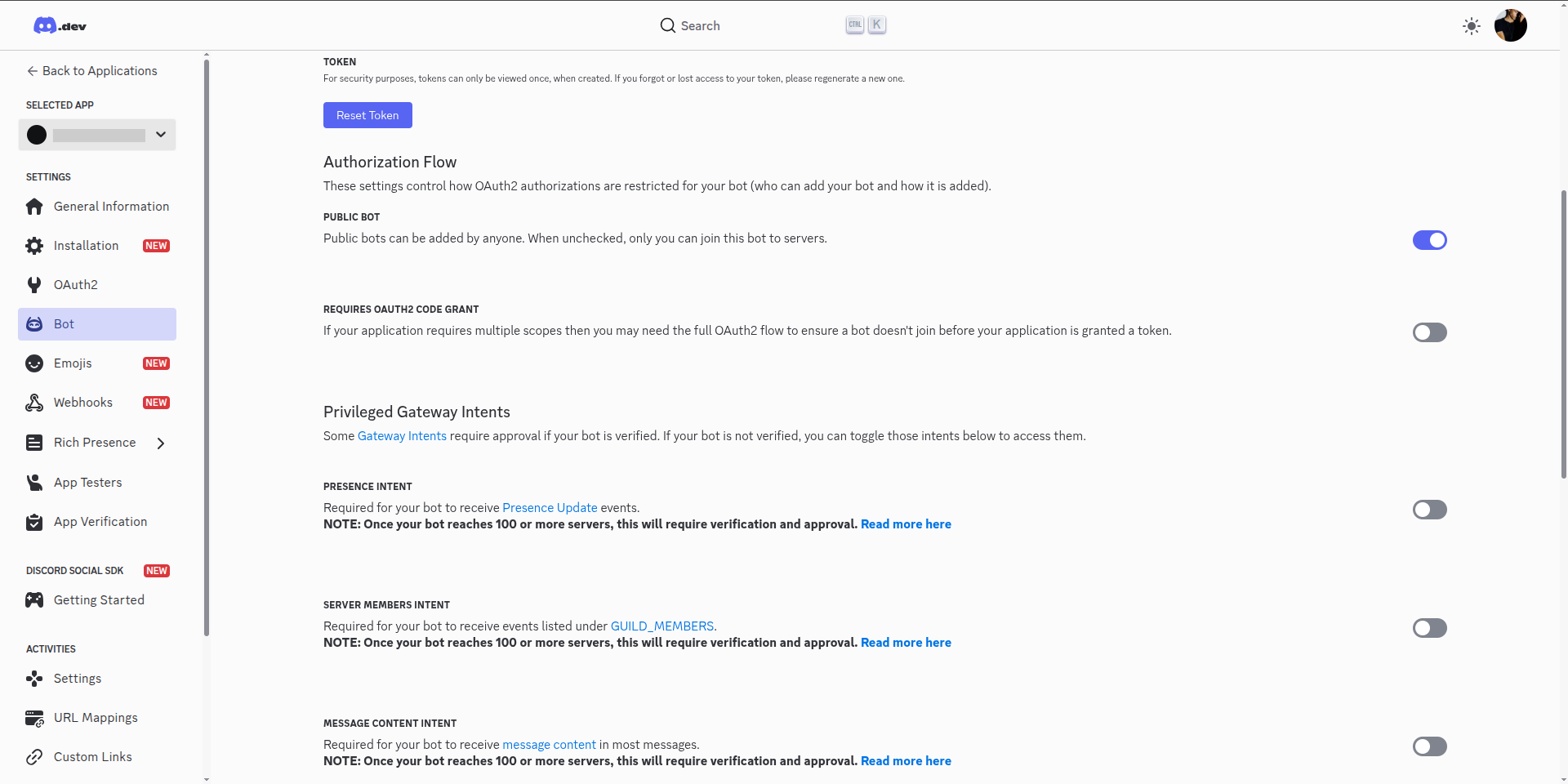 **Important:** Keep this token secure and never share it publicly.
In the pop-up window, enter the following details:
* **Custom Name**: A name to identify this integration in Siren
* **Bot Token**: Paste the Discord bot token you copied
* **Default Channel ID**: (Optional) Default channel to send messages to
Click **Save** to complete the Discord integration setup in Siren.
**Important:** Keep this token secure and never share it publicly.
In the pop-up window, enter the following details:
* **Custom Name**: A name to identify this integration in Siren
* **Bot Token**: Paste the Discord bot token you copied
* **Default Channel ID**: (Optional) Default channel to send messages to
Click **Save** to complete the Discord integration setup in Siren.